
Table of Contents
Gaming hardware has improved rapidly over the last few years. New games are becoming larger, more detailed, and more demanding on computer systems. Because of this, many gamers wonder how much RAM they actually need to enjoy modern games without lag or performance issues.
If you are building a new gaming PC or upgrading your current system, understanding RAM requirements is very important. Too little RAM can cause stuttering, slow loading times, and sudden frame drops during gameplay.
This guide explains how much RAM you need for gaming in 2026, how RAM affects gaming performance, and what amount is best depending on the type of games you play.
What Is RAM and Why Does It Matter for Gaming
RAM stands for Random Access Memory. It is a type of memory that temporarily stores data your computer needs to access quickly while running programs or games.
When you start a game, your computer loads important files into RAM so they can be accessed quickly by the processor and graphics card. This allows the game to run smoothly without constantly reading data from the storage drive.
If your system does not have enough RAM, the computer starts using slower storage space as temporary memory. This process slows down performance and can cause stuttering during gameplay.
For gaming, RAM plays an important role because modern games load large environments, textures, and background systems that require fast memory access.
How Modern Games Use RAM
Games in 2026 are more complex than older titles. Open world games include massive environments, detailed characters, realistic physics, and advanced artificial intelligence.
All of these elements require memory.
RAM is used to store several types of data while playing:
Game assets such as textures and models
Player and enemy information
Physics calculations
Audio files
Background game systems
When RAM is limited, the system struggles to keep all this information ready for quick access. This results in slower performance and inconsistent frame rates.
Minimum RAM Requirement for Gaming
Many modern games still list 8 GB of RAM as the minimum requirement. This means the game can technically run with this amount, but performance may not be ideal.
If you have only 8 GB of RAM, you might experience:
Slower loading times
Stuttering in crowded areas
Reduced multitasking ability
Performance drops when running background apps
For casual gamers who play older titles or lightweight games, 8 GB can still work. However, it is no longer the best choice for modern gaming.
Most new games are designed with higher memory usage in mind.
More: Best FPS Settings for Low End PC in 2026 Complete Optimization Guide
Why 16 GB RAM Is the Recommended Standard
For most gamers in 2026, 16 GB of RAM is considered the best balance between performance and cost.
This amount provides enough memory for modern games while allowing the operating system and background programs to run smoothly.
With 16 GB of RAM, players usually experience:
Stable frame rates
Faster game loading
Better multitasking
Smoother gameplay in open world games
Many popular competitive games such as first person shooters, battle royale games, and online multiplayer titles run comfortably with this amount of memory.
Because of this, 16 GB has become the most common recommendation for gaming PCs.
Is 32 GB RAM Necessary for Gaming
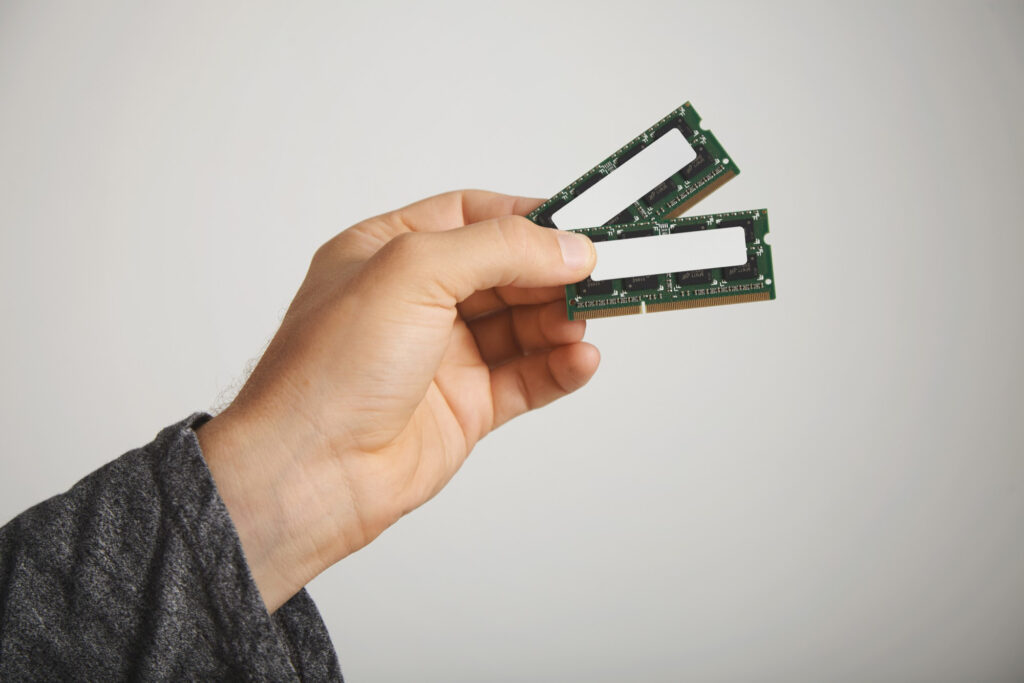
Some gamers choose to install 32 GB of RAM in their systems. While this amount is powerful, it is not always necessary for gaming alone.
For most games, the performance difference between 16 GB and 32 GB is small. However, there are certain situations where extra RAM can be helpful.
Players who may benefit from 32 GB include:
Content creators who record or stream gameplay
Gamers who run many background programs
Players using heavy mods in games
Users running multiple applications at the same time
In these cases, the additional memory provides more flexibility and prevents performance issues when multitasking.
But for typical gaming sessions, 16 GB remains more than enough.
How RAM Speed Affects Gaming
Besides the amount of RAM, speed also plays a role in performance.
RAM speed is measured in megahertz and determines how quickly the memory can transfer data.
Faster RAM allows the processor to access game data more efficiently. This can improve performance slightly, especially in games that rely heavily on the CPU.
However, the difference is usually small compared to having enough total RAM.
If you are building a gaming PC, it is best to choose reliable RAM with a balanced speed rather than focusing only on extremely high numbers.
More: 10 Secrets Pro Players Use to Stay Focused During Long Matches
Does More RAM Increase FPS
A common question among gamers is whether increasing RAM directly boosts frame rate.
The answer depends on your current system.
If your computer already has enough RAM, adding more will not significantly increase FPS. The game will continue to run at similar performance levels.
However, if your system has too little RAM, upgrading can make a big difference.
For example, upgrading from 8 GB to 16 GB may reduce stuttering and improve frame stability. This can create the feeling of smoother gameplay even if the average FPS does not increase dramatically.
RAM upgrades mainly help eliminate bottlenecks caused by insufficient memory.
RAM Requirements for Different Types of Games
Different types of games require different amounts of memory.
Competitive Online Games
Games focused on competitive multiplayer often require less RAM because they prioritize performance over graphics.
Examples include fast paced shooters and esports titles. These games usually run smoothly with 16 GB of RAM.
Open World Games
Open world games tend to use more memory because they load large environments and many characters.
Exploring cities, forests, or large maps requires additional RAM to store textures and world data.
For these games, 16 GB is recommended, while 32 GB may help when using mods.
Simulation and Strategy Games
Simulation and strategy games often manage large numbers of objects or characters at the same time.
These games can become memory intensive during large battles or complex simulations.
Having more RAM may help maintain smoother performance in these situations.
How to Check Your Current RAM Usage
Before upgrading your system, it is useful to check how much RAM your computer is currently using during gameplay.
Most operating systems include a built in performance monitor that shows memory usage.
You can open the task manager and observe how much RAM is being used while a game is running.
If your system frequently reaches its maximum memory limit, upgrading RAM can improve performance.
Monitoring your system helps you make better upgrade decisions.
Tips for Managing RAM While Gaming
Even with a good amount of RAM, managing system resources properly can improve performance.
Here are a few helpful tips:
Close unnecessary background programs before launching games.
Avoid running many browser tabs while gaming.
Keep your operating system updated.
Restart your computer occasionally to clear memory usage.
These small habits help ensure your system uses available RAM efficiently.
More: Best Graphics Settings for GTA V on Low End PC for Smooth Gameplay in 2026
When Should You Upgrade Your RAM
Upgrading RAM is one of the easiest ways to improve system performance.
You may want to upgrade if you notice the following problems:
Frequent stuttering in games
Long loading times
Difficulty running multiple programs
System slowdowns while gaming
If your system currently uses 8 GB of RAM, moving to 16 GB is one of the most noticeable upgrades you can make.
For most gamers, this upgrade provides better stability and smoother gameplay.
The Future of RAM in Gaming
As game technology continues to evolve, memory requirements will also increase.
Developers are constantly pushing hardware limits to create more detailed environments, improved physics systems, and advanced artificial intelligence.
While 16 GB remains the standard today, future games may gradually require more memory for optimal performance.
However, hardware upgrades usually happen slowly. This means current gaming systems with 16 GB or 32 GB of RAM should remain capable for several years.
Final Recommendation
Choosing the right amount of RAM depends on how you use your computer and what type of games you play.
For gamers in 2026, the general recommendations are:
8 GB RAM for older or lightweight games
16 GB RAM for modern gaming and smooth performance
32 GB RAM for heavy multitasking, streaming, or advanced setups
For most players, 16 GB is the ideal choice. It offers strong performance without unnecessary cost and handles modern games comfortably.
Conclusion
RAM is one of the most important components in a gaming computer. It allows your system to load game data quickly and maintain smooth performance during gameplay.
While some games can still run with 8 GB of memory, this amount is quickly becoming outdated for modern gaming.
Upgrading to 16 GB provides a noticeable improvement in stability, loading times, and overall experience. For gamers who stream, create content, or run many programs at once, 32 GB can offer additional flexibility.
Understanding how RAM works and choosing the right amount ensures your system can handle today’s games while remaining ready for future releases.
By selecting the proper RAM configuration, gamers can enjoy smoother gameplay, better performance, and a more enjoyable gaming experience.