
Table of Contents
First person shooter games demand speed, precision, and fast reactions. Whether you are playing competitive shooters or casual multiplayer matches, your mouse plays a huge role in your performance. Many beginners believe that they need expensive gaming gear to compete, but that is not always true.
A good budget gaming mouse can deliver excellent tracking accuracy, responsive clicks, and comfortable control without costing a lot of money. Modern budget gaming mice now include high quality sensors, customizable buttons, and lightweight designs that work well for FPS players.
In this guide, you will learn how to choose the best budget gaming mouse for FPS games, what features matter the most, and which affordable models offer the best performance for competitive gaming.
Why a Gaming Mouse Matters in FPS Games
In first person shooter games, every movement matters. Small differences in mouse precision can affect your aim, reaction time, and overall gameplay performance.
A standard office mouse may work for casual tasks, but gaming mice are designed for fast movements and accurate tracking. They include features that help players react quickly during intense fights.
These features often include:
High precision optical sensors Adjustable DPI settings Faster polling rates Programmable buttons Lightweight designs
All of these features help FPS players maintain control during fast movements, flick shots, and target tracking.
What Makes a Good Budget Gaming Mouse for FPS
Not all gaming mice are built the same. Some focus on comfort, while others focus on performance and speed.
When choosing a budget gaming mouse for FPS games, there are several important features to consider.
Sensor Accuracy
The sensor is the most important part of any gaming mouse. A high quality sensor ensures that the cursor movement on the screen matches the physical movement of the mouse.
Modern budget gaming mice often use reliable optical sensors that provide consistent tracking. Many models now support DPI ranges between 8,000 and 16,000, which is more than enough for most FPS players.
Accuracy matters more than extremely high DPI numbers. Most professional FPS players actually use lower DPI settings for better control.
Lightweight Design
Weight plays an important role in FPS games. Lighter mice allow faster flick shots and easier movements across the mouse pad.
Many budget gaming mice now focus on lightweight designs, sometimes weighing under 80 grams. This helps players move the mouse quickly during fast reactions.
Some models even use honeycomb shells to reduce weight while maintaining strength.
Polling Rate
Polling rate measures how often the mouse sends information to the computer. A higher polling rate means faster response time.
Most gaming mice use a polling rate of 1000 Hz, which means the mouse reports its position to the computer 1000 times per second. This reduces input delay and makes movements feel more responsive.
For FPS players, a 1000 Hz polling rate is considered the standard.
Comfortable Shape
Comfort is often overlooked by beginners, but it is extremely important during long gaming sessions.
Gaming mice come in different shapes designed for different grip styles.
Common grip styles include:
- Palm grip
- Claw grip
- Fingertip grip
A mouse that fits your hand comfortably helps prevent fatigue and improves control during gameplay.
Programmable Buttons
Most budget gaming mice include additional buttons that can be customized.
These buttons allow players to assign useful actions such as reloading, crouching, switching weapons, or activating abilities.
While FPS players usually prefer simpler designs with fewer buttons, having two side buttons can still improve gameplay efficiency.
More: 12 Important Things Every New Gamer Should Know Before Starting
Best Budget Gaming Mouse Options for FPS Players
Several affordable gaming mice offer excellent performance for FPS players. These models are known for their balance between price and performance.
Here are some popular options.
Logitech G203 Lightsync
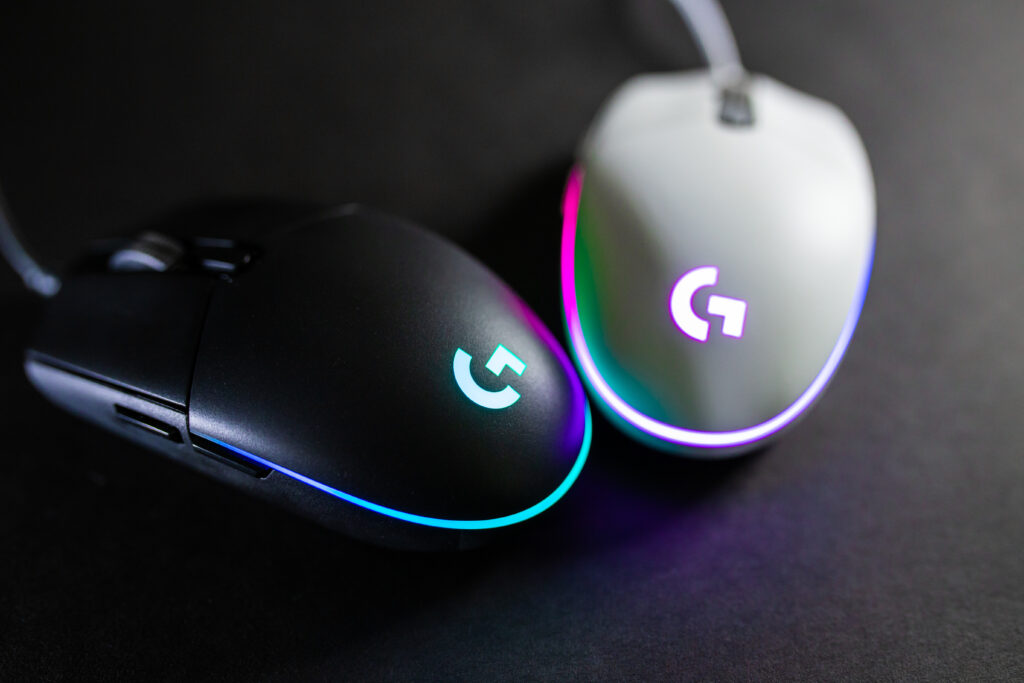
The Logitech G203 Lightsync is one of the most well known budget gaming mice. It is widely recommended for beginners because it offers reliable performance at an affordable price.
The mouse features a responsive optical sensor with DPI settings up to 8,000 and six programmable buttons. Its symmetrical design works well for many hand sizes and grip styles.
Many players appreciate its simple design and consistent tracking performance. The mouse is also lightweight enough for fast movements in FPS games.
Because of its reliability and affordable price, it remains one of the best entry level gaming mice.
Razer DeathAdder Essential
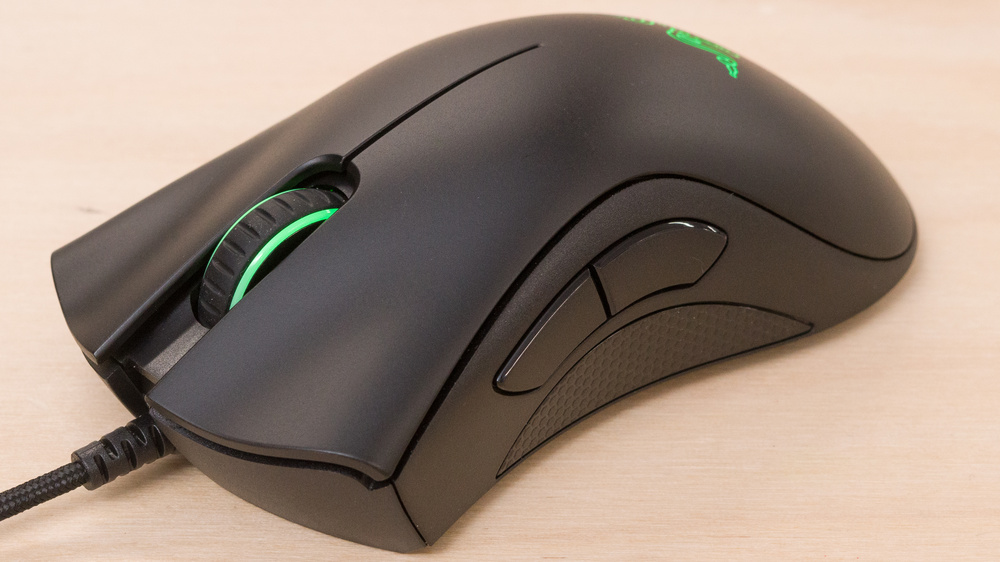
The Razer DeathAdder series has been popular among gamers for many years. The Essential version offers the same ergonomic shape but at a lower price.
This mouse is known for its comfortable design, making it ideal for long gaming sessions. The optical sensor provides accurate tracking, which is important for aiming in FPS games.
Its right handed ergonomic shape fits palm grip players particularly well.
Many budget gamers choose this mouse because it combines comfort with reliable gaming performance.
SteelSeries Rival 3
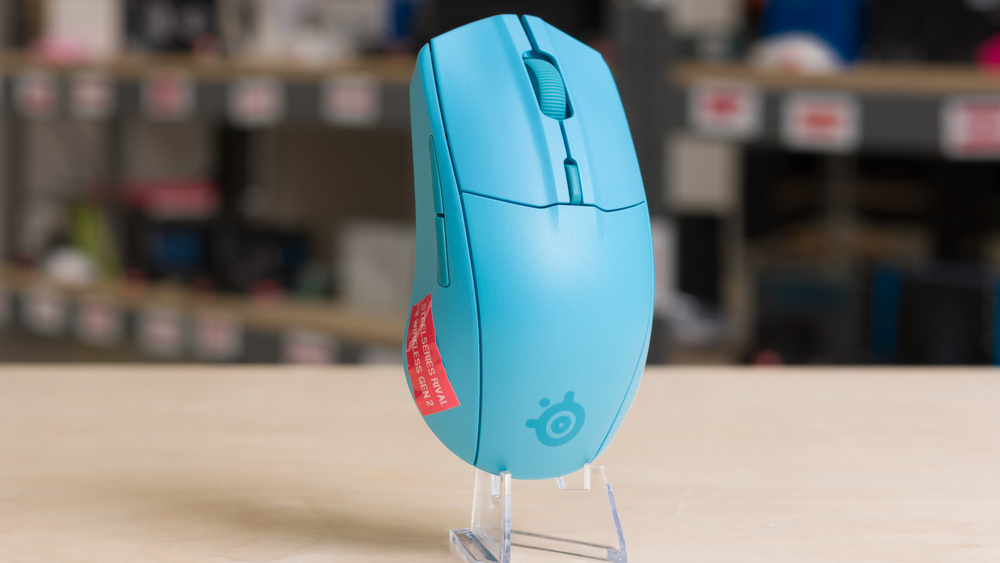
The SteelSeries Rival 3 is another strong option for FPS players who want performance without spending too much money.
This mouse includes the TrueMove Core sensor, which is designed to deliver precise tracking without unwanted acceleration or smoothing.
The Rival 3 weighs around 77 grams, making it light enough for fast aim adjustments and flick shots.
Its symmetrical design works well for claw grip and fingertip grip players.
Corsair M55 RGB Pro
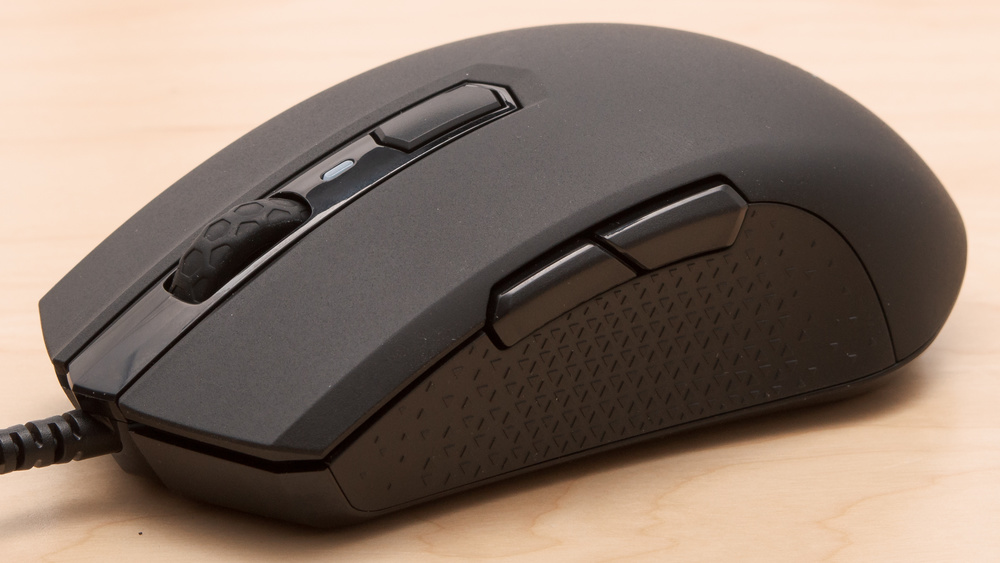
The Corsair M55 RGB Pro offers a good balance of performance and comfort.
It features a lightweight design and multiple programmable buttons. The mouse supports adjustable DPI settings, allowing players to customize sensitivity depending on their play style.
One advantage of this mouse is its ambidextrous shape, making it suitable for both left handed and right handed players.
Wired vs Wireless Budget Gaming Mice
Many gamers wonder whether they should choose a wired or wireless gaming mouse.
In the past, wireless mice often had noticeable delay. However, modern wireless gaming technology has improved significantly.
Wireless models can now deliver performance similar to wired mice while offering more freedom of movement. Some budget wireless mice even provide long battery life and stable connections.
However, wired mice are still preferred by many competitive players because they eliminate battery concerns and often cost less.
Both options can work well depending on personal preference.
Common Mistakes When Choosing a Budget Gaming Mouse
Beginners often focus on marketing numbers instead of practical features.
Here are some common mistakes to avoid.
Focusing Only on DPI
Many companies advertise extremely high DPI numbers. While high DPI may sound impressive, it does not always improve performance.
Most professional FPS players use DPI settings between 400 and 1600 because lower sensitivity allows more precise control.
Ignoring Weight and Shape
Some players buy a mouse without considering comfort. If the mouse shape does not match your hand or grip style, it can reduce accuracy and cause fatigue.
Always choose a mouse that feels natural in your hand.
Buying Extremely Cheap Hardware
While budget gaming mice can offer excellent value, extremely cheap models may use low quality sensors that struggle with fast movements.
Poor sensors may cause tracking issues, especially during fast flick shots.
Choosing a well known brand often ensures better reliability.
Tips to Improve Aim with Your Gaming Mouse
Buying a good gaming mouse is only part of the process. Improving aim requires practice and proper settings.
Here are some useful tips.
Use a large mouse pad to allow wider movements.
Keep your DPI settings consistent across games.
Practice aim training exercises regularly.
Maintain a relaxed grip on the mouse.
Consistency and practice are the most important factors in improving FPS performance.
More: Best FPS Settings for Low End PC in 2026 Complete Optimization Guide
Final Thoughts
A high quality gaming mouse does not have to be expensive. Many affordable models now provide accurate sensors, comfortable designs, and reliable performance for FPS games.
For beginners and budget gamers, mice like the Logitech G203 Lightsync, Razer DeathAdder Essential, SteelSeries Rival 3, and Corsair M55 RGB Pro offer excellent value.
Modern budget gaming mice are more powerful than ever, making competitive gaming accessible to more players.
Choosing the best budget gaming mouse for FPS games ultimately depends on your personal preferences, grip style, and comfort.
With the right mouse and consistent practice, any player can improve their aim and enjoy smoother gameplay in their favorite FPS titles.